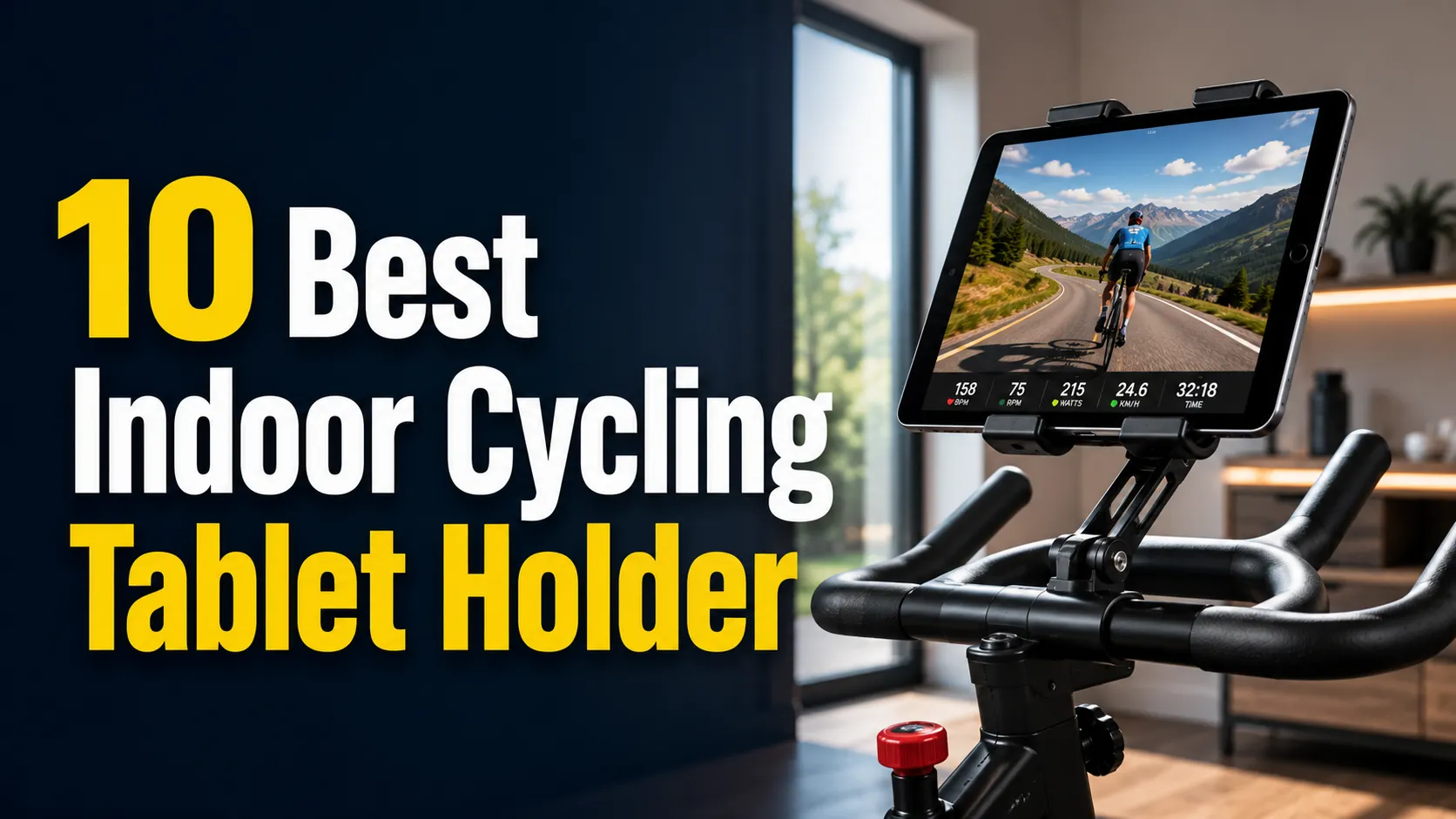
Indoor cycling tablets hold phones or tablets steady during workouts, letting users follow classes, track metrics, or stream entertainment without pausing. These holders clamp to handlebars or attach to trainers and must stay secure through sweat, vibration, and shifting positions. They range from simple mounts to adjustable, padded frames that fit different device sizes and handlebar shapes.
Buyers should focus on fit, stability, and ease of adjustment. The most important features are a secure grip for your device, a firm attachment to the bike, and enough adjustability to see the screen at a safe angle. Other factors include build quality, padding to prevent scratches, and whether the mount blocks buttons or ports.
This guide tests popular mounts for real workouts and lists picks that balance security, ease of use, and value to help readers choose the best indoor cycling tablet holder for their needs.
10 Best Indoor Cycling Tablet Holders
Below is a list of the best indoor cycling tablet holders. It highlights stable, easy-to-install models that fit common bike handlebars and tablet sizes. This list helps readers pick a holder that keeps devices secure and visible during workouts.
Woleyi Gooseneck Tablet Holder
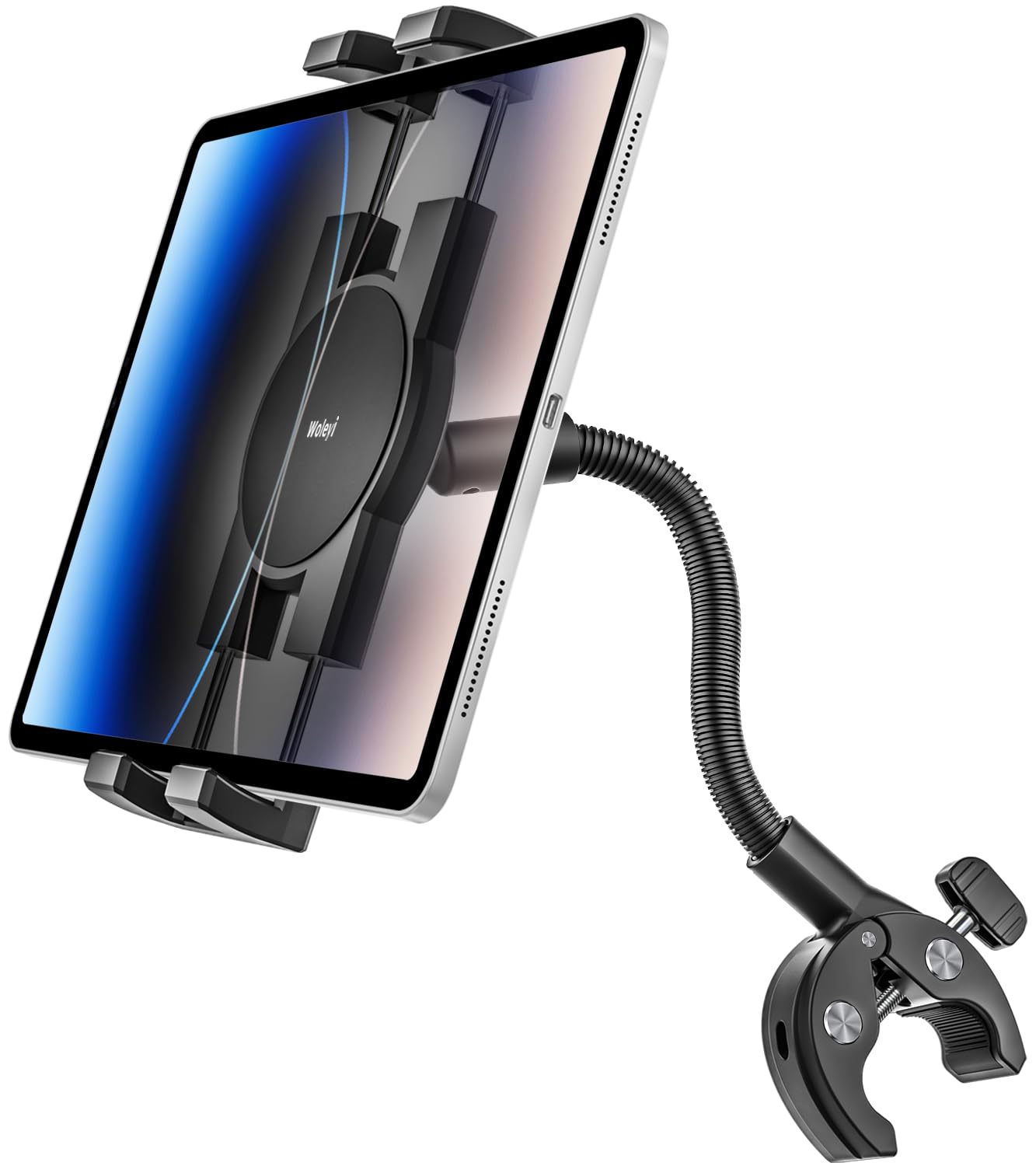
This mount is a solid pick for riders who want a flexible, secure way to hold tablets or phones on bikes, treadmills, strollers, or wheelchairs.
Pros
- Very adjustable 360° ball head and bendable gooseneck for many viewing angles
- Firm clamp with rubber pads keeps devices stable and protects bars from scratches
- Wide device fit covers phones and tablets from about 4.7″ to 13″
Cons
- Gooseneck may not reach far enough for some setups like larger treadmills
- Plastic parts could feel less durable than metal alternatives
- Clamp size may be tight on very large or oddly shaped handlebars
The holder gives a lot of positioning options thanks to its long, bendable arm and rotating head. Users can switch between portrait and landscape with one hand and fine-tune the angle while riding.
Rubber padding at the clamp helps prevent slipping and protects paint on the handlebar. The cradle also uses silicone contact points to keep the device from shifting or getting scratched.
This model fits many device sizes, so it works for tablets, phones, and e-readers with or without a case. Buyers should confirm the needed reach for their specific machine before buying, since the arm length can limit placement in some setups.
KDD Spin Bike Tablet Holder

This mount is a solid choice for riders who want a secure, adjustable way to use a tablet or phone on an indoor bike.
Pros
- Holds many tablet and phone sizes securely.
- Strong clamp and rubber pads reduce shaking.
- 360° ball joint lets users set many viewing angles.
Cons
- Bulky when clamped to thin handlebars.
- Some very large tablets may only fit in one orientation.
- Mostly plastic construction may feel less premium to some buyers.
It fits a wide range of devices from small phones to large tablets, so riders can stream workouts or shows without swapping mounts. The clamp works on many tubular bars and installs quickly.
The mount uses rubber pads and a spring-loaded clamp to keep devices steady during sweaty, bumpy rides. The ball joint rotates smoothly for portrait or landscape viewing, which helps when following classes or watching videos.
People who need a lightweight, affordable holder for an exercise bike, treadmill, or similar gear will find this a practical pick. Those seeking metal-heavy, ultra-premium gear might prefer a different, more expensive option.
Mippko Gooseneck Tablet Holder

It is a solid choice for someone who wants a flexible, clamp-on tablet holder for indoor bikes or treadmills because it grips bars well and lets users position a device almost anywhere.
Pros
- Strong clamp that holds to round or square bars.
- Flexible gooseneck lets users angle the tablet freely.
- Fits many tablets and phones from small to large screens.
Cons
- Gooseneck can be stiff and hard to bend for some users.
- Clamp may pinch fingers when placing or removing a device.
- Some buyers reported messy grease or short arm length.
The clamp design uses metal and rubber pads to grip handlebars and poles firmly. That helps reduce wobble during workouts and fits a wide range of devices from phones to large tablets.
The gooseneck arm offers 360° rotation at the ball head and a silicone-covered shaft for a comfortable feel. It can hold lighter devices well, though the arm stiffness may need extra force to position precisely.
Installation works on treadmill rails, spin bike bars, and other tubes within the clamp range. Buyers should watch for spilled grease in the package and be careful to avoid pinching fingers when inserting or removing a device.
CreaDream Tablet Mount

This mount is a solid choice for riders who want a metal, highly adjustable holder that fits most tablets and stays steady during workouts.
Pros
- Strong aluminum build feels durable.
- Wide adjustability for many angles and handlebar sizes.
- Fits a broad range of tablets and phones.
Cons
- Some joints only move in one plane, limiting placement.
- Clamping or stretching the holder can be hard for weak hands.
- Tight spring grip may be tough to operate quickly.
The metal construction gives the mount a sturdy feel and reduces wobble while pedaling. It clamps to handlebars from thin to fairly thick sizes, so it works on many indoor bikes and treadmills.
Adjustments cover many angles: long and short arms plus a 360-degree ball joint let users fine-tune the view. Two small wrenches lock positions, which helps keep the tablet steady during intense rides.
A few buyers note limited joint rotation and a very tight spring, which can make inserting or removing devices harder. People with weaker grip strength might prefer an easier-to-open clamp.
Overall, it suits anyone who values stability and metal parts over light plastic designs and who doesn’t need frequent quick device swaps.
Lamicall Spin Bike Tablet Holder

This is a solid choice for riders who want a stable, adjustable mount that fits many phones and tablets.
Pros
- Fits lots of devices from phones to 12.9″ tablets.
- Secure clamp that works on many handlebars.
- 360° ball joint for easy viewing angles.
Cons
- Not intended for outdoor use.
- May not fit very large or oddly shaped bars.
- Metal parts can feel stiff when adjusting.
The holder mounts with a clamp that grips handlebars between about 14–34 mm. It sits close to the bar and keeps a screen within easy sight for workouts, streaming classes, and music.
It swivels so users can switch between landscape and portrait quickly. The ball joint gives many viewing angles, which helps if a bike or treadmill tilts the display.
Installation looks simple and most buyers report quick setup. People who need weatherproofing or heavy-duty outdoor use should consider other options.
Charchendo No-Shake Tablet Mount
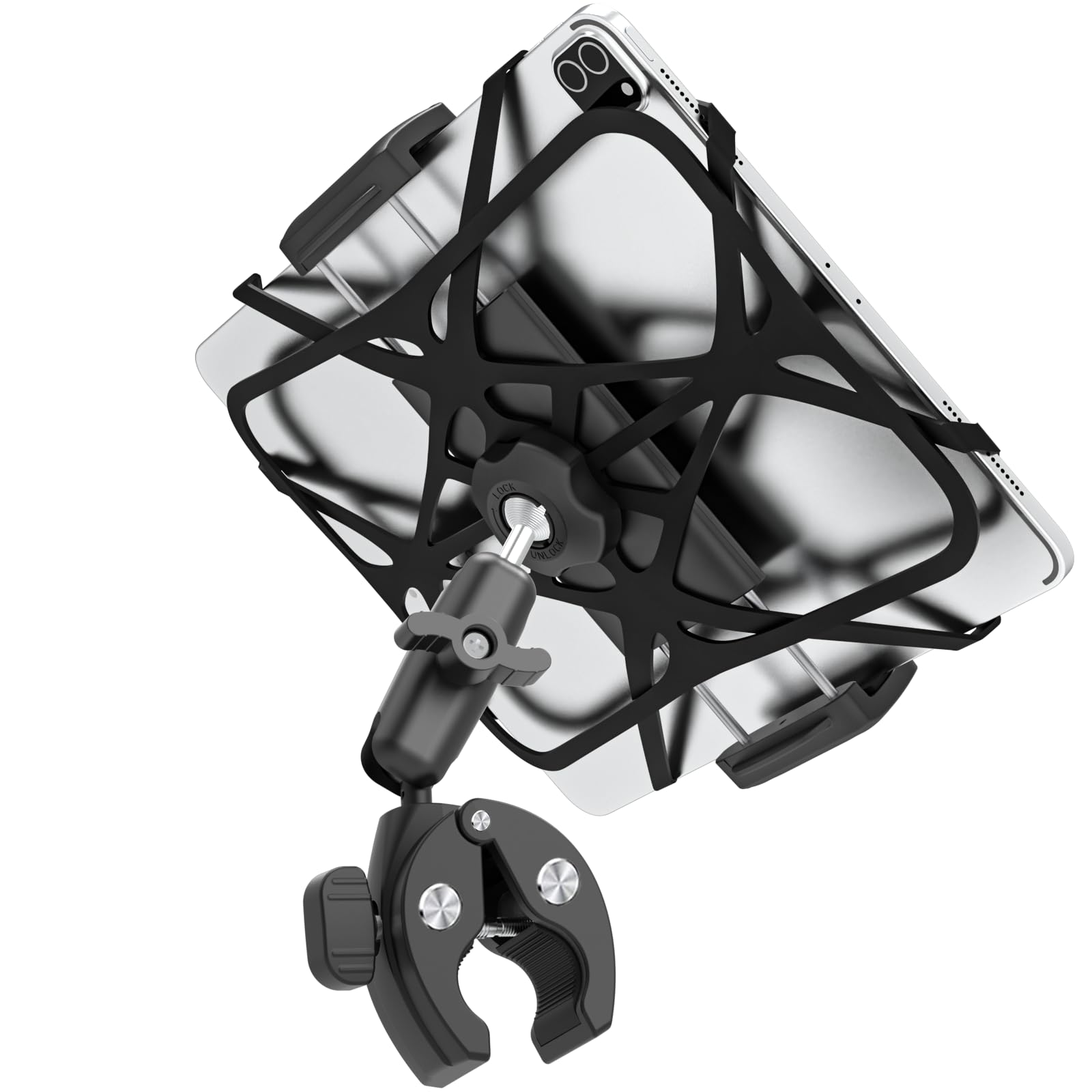
It is worth buying for riders who want a solid, metal tablet mount that stays steady during intense indoor workouts.
Pros
- Very stable under fast pedaling or sprints
- Strong metal build that resists sweat and wear
- Wide device fit with 360° rotation for ideal viewing
Cons
- Metal parts can transfer vibration from some bikes
- Clamp adjustment may feel stiff or fiddly at first
- Heavier than plastic mounts, so it adds weight to the handlebar
The mount uses a CNC aluminum arm and a reinforced ball joint to keep tablets steady during hard efforts. It aims to cut out the wobble common with cheap plastic holders and hold larger iPads or phones securely.
A safety strap plus mechanical clamps add an extra layer of protection against drops during out-of-saddle moves. Users report it holds various devices well, from GPS units to folding phones, though some note vibration isolation could be better.
Setup does not require tools and the clamp fits a broad range of handlebar diameters, so it moves easily between bikes, treadmills, and ellipticals. The design keeps ports and face sensors accessible while letting riders switch between portrait and landscape quickly.
Peastrex Tablet Bike Mount

It is a solid, heavy-duty clamp-style mount that fits many tablets and stays put during workouts.
Pros
- Strong, fiber-reinforced build that feels durable.
- Wide device fit from small phones to large tablets.
- 360° adjustability for easy viewing angles.
Cons
- Clamp only works on round bars within a specific diameter range.
- Some users report a few low-quality parts and one-off failures.
- Not water resistant for outdoor exposure.
The mount aims squarely at riders who want a rigid, bike-ready holder. It uses nylon and glass-fiber materials to keep tablets secure under motion without feeling flimsy.
Setup focuses on clamping to round handlebars, so it won’t suit every bike or console. Once mounted, the double ball heads let users rotate and tilt the screen to landscape, portrait, or angled views.
This choice makes sense for people who need a stable mount for spin bikes, treadmills, e-bikes, or even strollers and boats. It carries most tablets and phones up to about 13.5 inches and holds devices firmly during heavy use.
Kolasels Gooseneck Tablet Holder
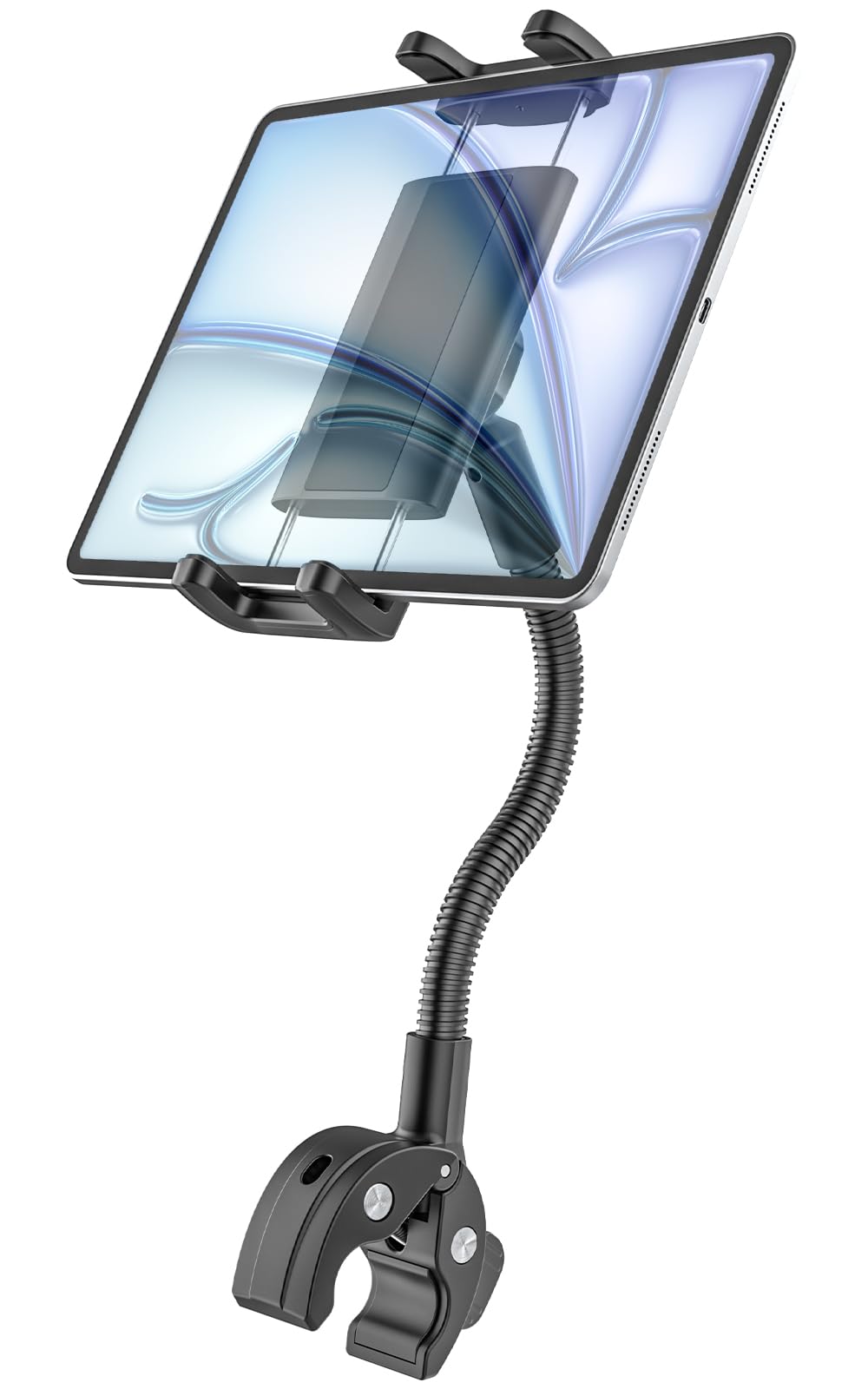
This holder is a solid choice for riders who want a flexible, secure mount for a wide range of tablets and phones.
Pros
- Fits many device sizes without removing the case.
- Long, bendable arm for easy viewing angle adjustments.
- 360° rotation lets users switch portrait and landscape quickly.
Cons
- Clamp may not fit very large or unusual handlebars.
- Tight grip can make inserting devices a bit stiff.
- Some setups need frequent re-tightening to stay steady.
The design focuses on versatility. It claims to fit most 4–12.9″ tablets and many phones, so users can keep devices in cases and still mount them.
The gooseneck and rotating head let riders move the screen to a comfortable spot. This helps when switching between video, workout apps, or video calls.
Installation uses a clamp with silicone pads to protect bars. It works on bikes, treadmills, strollers, wheelchairs, and similar gear, though very thick bars might be a problem.
Durability looks reasonable with an aluminum arm and plastic holder, and the brand offers a one-year warranty for support. If a buyer values adjustability and broad compatibility, this mount earns a close look.
Buying Guide
Choose a holder that fits the device size and mounting point on the bike. Check the tablet’s dimensions and the clamp or cradle range so the device sits secure and centered.
Look for strong build quality and stable materials. Metal or reinforced plastic parts reduce wobble. Heavier bases or extra clamps can help when pedaling hard.
Consider adjustability for angle and height. A wide range of tilt and rotation lets the rider find a comfortable view. Quick-release features make it easy to remove the tablet between rides.
Evaluate mounting options and compatibility. Some mounts attach to the handlebars, stem, or frame. Make sure the attachment method works with the bike’s shape and does not block controls.
Check vibration damping and grip design. Rubber pads and cushioned supports protect the tablet and cut down vibration. Firm grips that cradle corners keep the device from slipping.
Think about ease of installation and portability. Tools-free setups save time. A lightweight design helps when moving the mount to another bike or storing it after use.
Review safety and access to ports and buttons. Openings should allow charging and headphone use without removing the tablet. The holder should not press buttons or cover cameras.
Compare warranty and return options. A clear warranty and easy returns reduce risk if the mount fails or does not fit.
Editor’s Choice
They pick the Wahoo KICKR Bike Tablet Mount as the best all-around holder for indoor cycling. It fits most tablets up to 13 inches and stays steady during sprints and climbs.
The mount clamps securely to bars or stem with a simple tool-free twist. It tilts and rotates so riders can find the right viewing angle without moving their device.
It uses rubber grips and a low-profile design to cut vibration and block less airflow to the bike. Riders report no slippage after months of use.
Key features:
- Compatibility: Tablets up to 13″ (iPad, Android)
- Adjustability: 360° rotation, multiple tilt stops
- Build: Aluminum body, rubberized clamps
- Ease of use: Tool-free install, quick-release
They note the price is higher than basic mounts, but the extra cost buys durability and a better viewing position. For serious riders who stream classes or use cycling apps, this mount improves comfort and performance.
FAQS
What size tablet fits most holders?
Most holders fit tablets from 7 to 13 inches. Buyers should check the holder’s width range to be sure.
How secure is a tablet while riding?
Good holders use clamps, grips, or straps to keep tablets steady. Look for rubber padding and strong joints to reduce slipping and vibration.
Can a holder attach to any indoor bike?
Many holders use adjustable clamps or straps that fit handlebars and consoles. Some brands make model-specific mounts, so check compatibility.
Will the holder block bike controls?
A well-designed holder positions the tablet so controls and sensors remain visible. Buyers should test placement before long rides.
Is it safe to charge a tablet while mounted?
Yes, if the cable does not interfere with movement or get pinched. Use a short charging cable and secure it away from pedals and moving parts.
How durable are these holders?
Materials like aluminum and reinforced plastic last longer than thin plastics. Read user reviews to gauge real-world durability.
Can one holder work for multiple users?
Adjustable holders work well for different heights and riding positions. They allow quick angle and height changes.
What about using a phone instead?
Most tablet holders also fit phones with adapters or smaller grips. Verify the holder’s minimum width.
Conclusion
A good indoor cycling tablet holder keeps the device secure, visible, and easy to adjust during workouts. It should match the bike’s handlebars, hold the tablet firmly, and allow quick angle changes for comfort.
Riders who use apps often need a strong mount with a wide grip and anti-slip padding. Those who stream shows may prefer holders with easy rotation and a stable base to avoid wobble.
Balance cost, build quality, and features when choosing a holder. Durable materials and simple clamps usually outlast flashy extras.
Key features to check:
- Stability and grip
- Compatibility with tablet size
- Adjustability and rotation
- Build material and clamp type
They should install the holder once and test it with the heaviest tablet they own. Tighten all clamps and ride gently for a few minutes to confirm stability.
Pick a model that fits the rider’s routine and budget. A well-chosen holder makes training safer and more comfortable without extra fuss.